


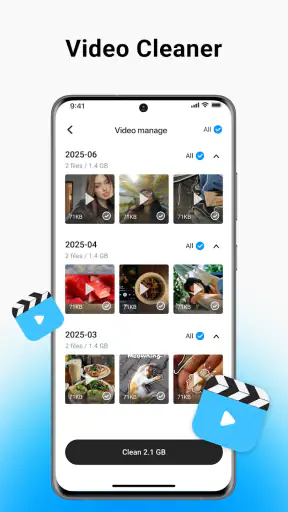
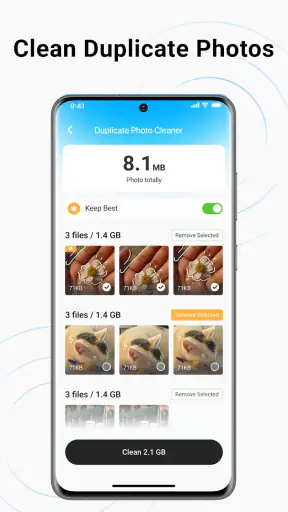
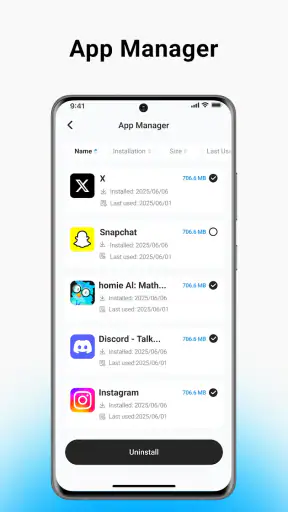
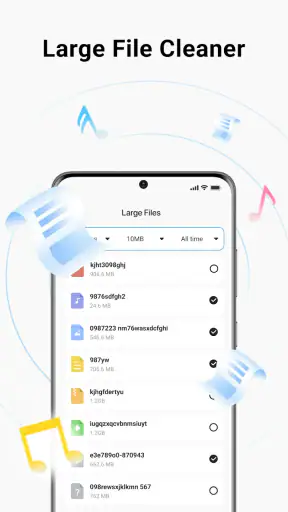
When my phone starts warning me about low storage, I usually do not want a complicated maintenance suite. I want a clear way to see what is taking up space, remove obvious clutter, and keep my personal photos and videos out of danger. CleanMas, a free tools app from BetterFly Games, is built around that simple need. Its purpose is to help clean junk files, pictures, and videos, so I approached it as a practical storage helper rather than an all-purpose phone optimizer.
After using it, my impression is fairly straightforward: CleanMas is most appealing to people who want a focused cleanup experience without paying for access. It has a 3.9 average from around 4.9 thousand ratings and has passed 5 million installs, which gives it a sizeable user base. Those figures do not automatically make it the best cleaner for every phone, but they do suggest that its basic idea is easy for many Android users to understand.
How CleanMas feels in everyday use
The app’s strongest quality is its narrow purpose. Instead of asking me to learn a large collection of maintenance tools, it keeps attention on files that commonly become disposable: unwanted leftovers, duplicate or forgotten pictures, and videos that are no longer needed. That makes the first cleanup less intimidating, especially for someone who has never checked Android storage manually.
I would use it after a holiday, a family event, or a long period of sending media through messaging apps. Those are the moments when a phone quietly accumulates several copies of the same image, blurry attempts, screen recordings, and videos that were useful for a few minutes but are no longer worth keeping. A cleaner can save time here, but only if it helps me review suggestions before I delete anything important.
One practical habit makes a big difference: I would not begin by tapping through every suggested item as quickly as possible. I would first look at the largest groups, then inspect the newest files and anything connected with an active conversation. A large video may be unnecessary, but it may also be the only copy of a memory. CleanMas is most useful when it shortens the search, not when it replaces judgment.
The app is free and carries an Everyone content rating, so it is approachable for a broad audience. It also supports Android 7.0 and later, which is helpful for people using older phones that may have less generous storage. At the same time, an older operating system can have different file-management behavior from a newer device, so the exact cleanup experience may depend on the phone manufacturer and Android interface.
What the current version means for users
The current release is V1.0.6, and that version number is worth viewing in context. CleanMas is still a relatively young product, released on December 12, 2025, so I see it as an app that is establishing its basic workflow rather than a mature utility with years of refinement behind it. That can be positive: a smaller tool may feel less cluttered. It also means I would pay attention to how consistently future updates handle scanning, file previews, and deletion safeguards.
For an existing user, moving to the current version should be treated as a normal maintenance step rather than a promise of a completely different app. I would expect the main value to remain the same: locating removable clutter and helping organize media cleanup. Since the app’s identity is so closely tied to storage management, small improvements in clarity can matter more than adding a long list of unrelated functions.
That is also where BetterFly Games has an interesting challenge. The developer has created an app with a familiar need and a simple name, but storage cleaners are judged by trust. A user wants to know exactly what will be removed, why it was selected, and whether a personal file can be recovered if the wrong choice is made. A polished interface is useful, but transparent selection and careful review matter more than visual decoration.
A safer cleanup routine than one-tap deletion
My preferred workflow with CleanMas would be deliberately cautious. I would run a scan when I have enough time to inspect the results, start with obvious junk, and then move to pictures and videos separately. Keeping those categories mentally separate prevents a common mistake: treating a temporary file and a personal recording as if they carried the same risk.
Before removing media, I would open or preview anything that looks familiar, especially files from camera folders, downloads, and work-related chats. I would also avoid cleaning immediately before traveling or attending an event. If something goes wrong, the inconvenience is much greater when the phone is needed for navigation, tickets, or communication. A cleanup tool is best used during a calm maintenance window, not during an emergency.
Another useful approach is to clean by purpose rather than by file type. For example, after sending a video to someone, I might review extra copies and failed exports while keeping the original camera file. After downloading several images for a project, I might remove only the temporary reference files once the project is finished. This makes the app part of a repeatable routine instead of a dramatic attempt to erase everything at once.
The most important rule is simple: let CleanMas find candidates, but let me make the final decision. That distinction is especially important with photos and videos because storage pressure can make a large file look disposable even when its personal value is high.
Where it fits beside Android’s built-in tools
Many Android phones already include storage settings that show large files, unused applications, and media categories. Those built-in tools remain a sensible first stop because they are integrated into the operating system and usually make it easy to understand how much space each broad category uses. If I only need to remove one large download or uninstall an app I no longer use, opening system settings may be faster than installing a separate cleaner.
CleanMas becomes more interesting when I want a dedicated, more approachable cleanup session focused on junk, pictures, and videos. A specialized screen can feel easier than moving through several storage menus, particularly for someone who finds Android’s settings too technical. The trade-off is that a third-party cleaner adds another layer between me and my files, so I would choose it for convenience and organization, not because every phone requires an external optimizer.
It also differs from file managers. A file manager is better when I need precise control over folders, filenames, transfers, or backups. I can make deliberate decisions there, but I have to know where to look. CleanMas is better suited to the opposite situation: I know the phone is crowded, but I do not want to manually inspect every folder. In short, the app can reduce effort, while a file manager provides deeper control.
Cloud photo services are another alternative, but they solve a different problem. Backing up a photo before deleting the local copy can protect memories and free device space, yet it depends on a backup workflow and available online storage. CleanMas should not be treated as a replacement for backup. If a picture matters, I would preserve it elsewhere first and only then consider removing the local version.
Who will get the most from it
I think CleanMas is a good match for people who regularly receive media, use an older or smaller-capacity phone, or feel uncomfortable navigating Android’s storage menus. It can also suit families who share devices and need a simple cleanup ritual after months of accumulated downloads. The Everyone rating and free price make it easy to try without turning storage maintenance into a purchase decision.
A realistic example would be a phone used for work and family communication. Over several weeks, that device may collect forwarded images, short clips, screenshots, and repeated downloads. Instead of searching each messaging folder manually, I would use CleanMas to bring likely clutter into one review process, then remove only files I recognize as duplicates or temporary material. The benefit is not magic extra capacity; it is less time spent finding the obvious candidates.
It may also help someone preparing an older phone for a long trip. Cleaning unnecessary media before leaving can make room for maps, photographs, and offline entertainment. I would perform that cleanup well before departure, check that important documents remain available, and avoid deleting anything whose purpose I cannot identify. Used this way, the app supports preparation rather than acting as a last-minute rescue button.
On the other hand, I would skip it if I already maintain storage carefully through Android settings, a trusted file manager, and regular backups. I would also be cautious if my main requirement is advanced duplicate detection, detailed folder control, secure deletion, or a complete device-security package. The app’s focused concept is a strength, but it naturally leaves room for users who need more specialized tools.
Remaining friction and sensible expectations
The biggest limitation is the risk inherent in cleaning personal media. Junk files are usually easier to classify than photos and videos, where the difference between clutter and something valuable is personal. I would want every recommendation to be understandable before confirming removal. If the app presents broad groups without enough context, the convenience of a quick scan could be offset by the time needed to double-check everything.
Another limitation is that storage cleanup does not solve every cause of a full phone. Large applications, offline maps, downloaded music, cached streaming content, and system data can consume substantial space too. CleanMas is centered on junk files, pictures, and videos, so I would not expect it to explain every megabyte on the device. When the main problem is a huge game or offline media library, Android’s storage screen or the relevant app’s own settings may be the better route.
I would also avoid assuming that a cleaner improves speed simply because it removes files. Freeing space can make a crowded phone easier to manage, but it is not the same as repairing battery wear, improving a weak processor, or fixing a poorly behaving application. CleanMas makes the most sense as a storage organization tool. Expecting it to transform overall performance would set the wrong standard.
Because the product is at V1.0.6 and relatively early in its life, I would watch how it develops in practical areas: clearer explanations for selected files, dependable media previews, careful handling of device-specific folders, and a cleanup flow that remains quick without becoming aggressive. Those improvements would make a greater difference to me than adding flashy extras that distract from safe file review.
Questions I would answer before installing
If I were wondering whether CleanMas costs anything, the answer is easy: it is free. That makes it reasonable to test on a secondary or older device, provided I review what it identifies before confirming deletion. Free access is useful here because storage problems often appear unexpectedly, and I may not want to commit to a subscription just to perform an occasional cleanup.
If I were asking whether it works on an older Android phone, the minimum supported operating system is Android 7.0. That gives the app a fairly broad reach, although the phone’s manufacturer interface and file permissions can still affect how storage is displayed and managed. I would keep the system’s own storage tools available as a second reference if the results look confusing.
If I wanted to know whether it replaces backup, I would say no. A cleanup app can help identify files, but it should not be the only place where important memories or documents exist. I would back up irreplaceable photos and videos first, then use CleanMas to deal with copies, temporary exports, and files I have already verified.
If I were deciding between CleanMas and a file manager, I would choose based on the task. CleanMas is the easier starting point when I want a guided review of likely clutter. A file manager is preferable when I need folder-level precision or want to move files before deleting them. Keeping both approaches available is more sensible than expecting one tool to handle every storage situation.
My final take on CleanMas
CleanMas earns its place as a focused, free storage helper rather than an app I would install for broad phone optimization. I like the straightforward emphasis on junk files, pictures, and videos, especially for users who need a less technical way to begin clearing space. Its current V1.0.6 release shows a product still early in its evolution, so my recommendation comes with a practical condition: use it carefully and judge it by the clarity of its cleanup decisions, not by promises of dramatic performance changes.
I would recommend trying it if your phone has become crowded with forgotten media and you want a guided starting point. I would not rely on it alone for backups, deep file management, or every kind of storage problem. Used alongside Android’s built-in settings and a sensible backup habit, it can make routine cleanup easier. For me, that is the right way to view CleanMas: a convenient assistant for finding likely clutter, with the final responsibility for every deletion still in my hands.


